To use the system, a valid user registration and subsequent login are required. Upon login, the system verifies the provided data; if the data is correct, the user gains access to the system's services. In case of a forgotten password, it is possible to request a temporary password. Registered data can be modified at any time later through the system's Profile function.

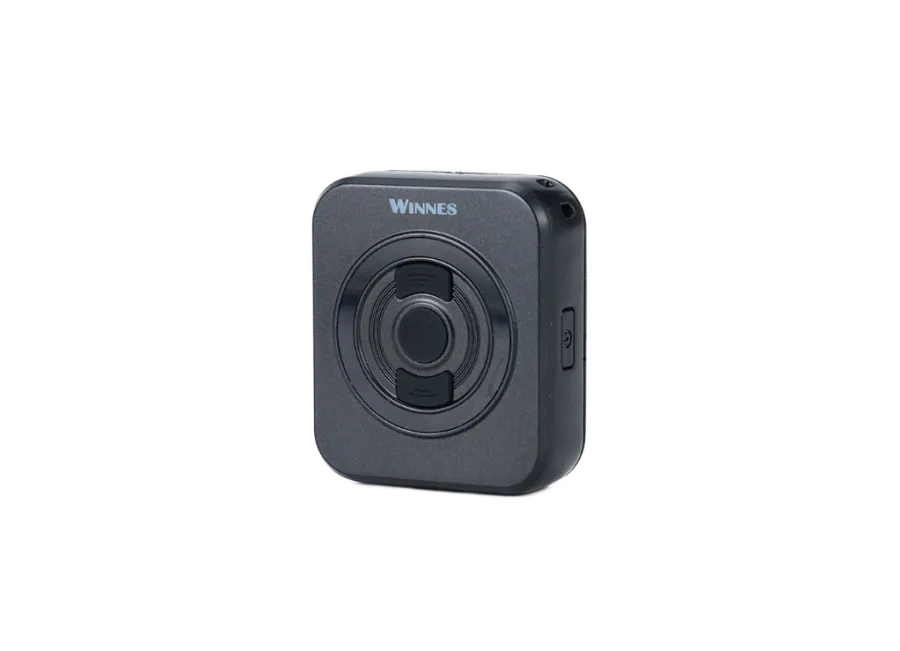
Juneo TKS1 4G LTE portable SOS GPS tracker – Mini security device with panic button
Brand: JUNEO
Product code: TKS1
EAN: 5999568891821
Compact, clip-on 4G LTE GPS tracker with an SOS panic button. An ideal solution for the safety monitoring of children and the elderly, as well as the protection of valuables. Despite its small size, it features a 700 mAh battery, providing up to 168 hours of standby time More information
60
€
(60
€ + 0% VAT)
-
In stock15 pcs
-
Local pickupFree
-
Expected delivery-
-
Guarantee24 months
-
Home delivery-
-
Location of goodsHungary
Device description
Juneo TKS1 4G LTE portable SOS GPS tracker – Mini security device with panic button
The Juneo TKS1 is a small-sized, multi-purpose GPS tracker operating on the 4G LTE network, suitable for personal safety protection as well as the precise positioning of packages and small objects. The built-in magnet and clip allow for quick attachment to clothing, bags, or metal surfaces, making it easy to carry anywhere.
Despite its compact size, the device features a 700 mAh battery, providing up to 168 hours of standby time with energy-efficient operation. The integrated SOS button is a key safety feature: with a single press, it sends an immediate alert to preset phone numbers, making it an excellent choice for the discreet supervision and protection of children or the elderly.
Features and Specifications
- 4G LTE + 2G GSM support: Fast and stable data transmission for real-time tracking.
- Multi-channel positioning: Collaboration with GPS, BEIDOU, GLONASS, and AGPS systems for maximum accuracy.
- Flexible query: Positions can be queried at any time via SMS or online tracking software.
- Portable design: Built-in magnetic and clip-on mounting options.
- Intelligent control: Built-in gyroscope, status indicator LEDs, and energy-saving sleep modes.
- Emergency call: Large SOS button for immediate help requests.
Alerts
- SOS alert: Immediate notification upon button press in case of an emergency.
- Displacement and motion detection: Alert if the device unexpectedly moves.
- Low battery level: Warning about the need for charging.
- Digital fence (Geofencing): Alert when leaving or arriving at designated zones.
Package Contents
- Juneo TKS1 4G LTE mini SOS GPS tracker
- USB charging cable
- User manual
- Clip and magnetic mounting element
Terms of Use
For the device to operate, an active connection is required with satellite positioning systems and mobile service providers' GSM/4G networks. Communication takes place via a micro SIM card, providing data and SMS connection between the user and the device.
Operating Region
- 4G: Global
- 2G: Global
Purchase Options
- If you purchase only the device (without a software subscription), it will be delivered with factory settings. You must provide the SIM card, manage its settings, and handle its operation (top-ups, annual data reconciliation).
- If you purchase a software subscription with the device but no SIM card, we will deliver the device already registered in our software, ready for use. However, acquiring, configuring, and operating the SIM card remains your responsibility.
- If you purchase the device and software subscription along with a SIM card from us, we will deliver the device and SIM card ready to work with the software, and we will take care of the card's continuous operation – you will have no tasks regarding the latter.
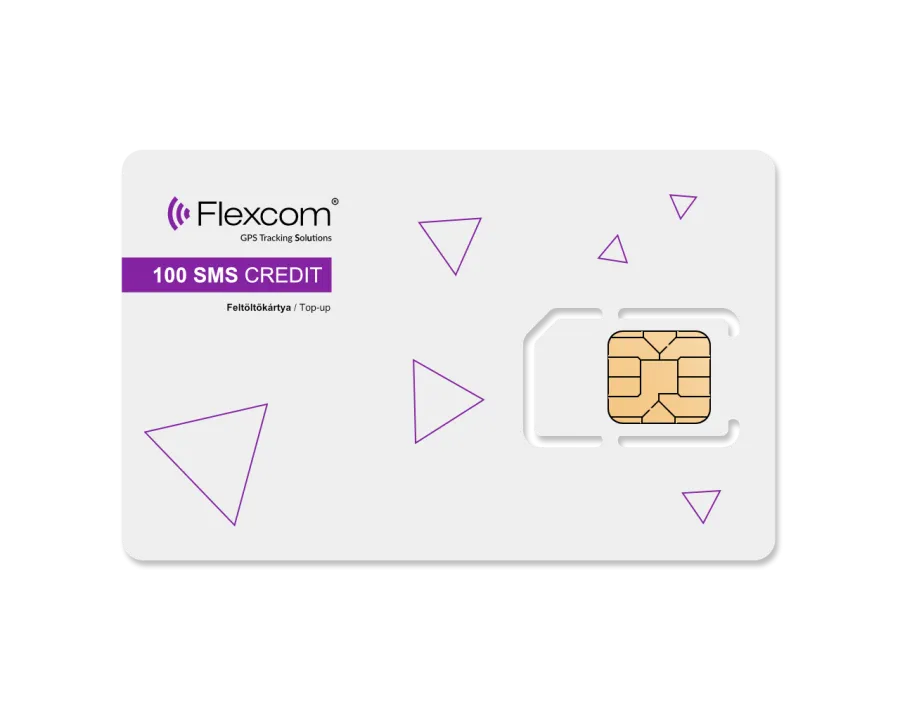
In case of a software subscription, if you wish to use our software's SMS alert service in addition to email notifications, please also purchase an SMS credit card, which you can find in our webshop among the products related to the device.
The device descriptions and images on the website are based on information published by the manufacturer, which are not always accurate or error-free. The manufacturer reserves the right to modify certain parameters or packaging of the product without prior notice - the update of the data related to these on our website takes place after the detection and evaluation of the changes.
View full description CloseSpecifications
| Communication | |
|---|---|
| 2G GPRS | yes |
| 2G Operating Region: Africa | yes |
| 2G Operating Region: Asia | yes |
| 2G Operating Region: Asia Pacific | yes |
| 2G Operating Region: Australia | yes |
| 2G Operating Region: Europe | yes |
| 2G Operating Region: Middle East | yes |
| 2G Operating Region: North America | yes |
| 2G Operating Region: South America | yes |
| 2G Operating Region: World | yes |
| 4G lte | yes |
| 4G network | yes |
| 4G Operating region: Africa | yes |
| 4G Operating region: Asia | yes |
| 4G Operating Region: Asia Pacific | yes |
| 4G Operating Region: Australia | yes |
| 4G Operating region: Europe | yes |
| 4G Operating region: Middle East | yes |
| 4G Operating region: North America | yes |
| 4G Operating region: South America | yes |
| 4G Operating Region: World | yes |
| Accuracy | 5 meter |
| AGPS | yes |
| BEIDOU | yes |
| FDD 4G Band 1 | yes |
| FDD 4G Band 2 | yes |
| FDD 4G Band 20 | yes |
| FDD 4G Band 28 | yes |
| FDD 4G Band 3 | yes |
| FDD 4G Band 4 | yes |
| FDD 4G Band 5 | yes |
| FDD 4G Band 66 | yes |
| FDD 4G Band 7 | yes |
| FDD 4G Band 8 | yes |
| GLONASS | yes |
| GNSS channel number | 32 |
| GPS | yes |
| GPS module name | QUECTEL EG912U |
| GSM 1800 | yes |
| GSM 1900 | yes |
| GSM 850 | yes |
| GSM 900 | yes |
| GSM module | QUECTEL EG912U |
| Sensitivity | -159 dBm |
| SIM card micro | yes |
| SMS | yes |
| SOS button call and message | yes |
| Sensor | |
| Accelerometer | yes |
| Energy | |
| Backup battery capacity | 700 mAh |
| Backup battery voltage | 3.7 V |
| Input (DC) voltage maximum | 5 V |
| Input (DC) voltage minimum | 5 V |
| Internal battery | yes |
| Power consumption Nominal | 60 mA |
| Power consumption Online Sleep | 4 mA |
| Operation | |
| Battery operating time | 10 hour |
| Battery standby time | 168 hour |
| Cold start | 32 second |
| GPS | yes |
| Hot Start | 1 second |
| Manual geofencing | yes |
| Minimum data upload frequency | 43200 second |
| Operating humidity maximum | 95 % |
| Operating humidity minimum | 5 % |
| Operating temperature without battery maximum | 55 Celsius |
| Operating temperature without battery minimum | -20 Celsius |
| Set language | yes |
| Sound profile (ring / vibration) setting | yes |
| Ultra Deep Sleep | 10 |
| Warm start | 5 second |
| Certificate | |
| CE/RED | yes |
| FCC | yes |
| RoHS | yes |
| Accessory | |
| Charging cable | yes |
| Keychain | yes |
| Neck strap | yes |
| Design | |
| Color | black |
| Height | 40 millimeter |
| Ingress Protection Rating | IP65 |
| Length | 16 millimeter |
| Material | plastic |
| Weight | 36 gram |
| Width | 46 millimeter |
| Alarm | |
| Geofence entry alarm | yes |
| Geofence exit alarm | yes |
| Displacement alarm | yes |
| Low battery alarm | yes |
| Overspeed alarm | yes |
| Interface | |
| GPS LED | yes |
| GSM LED | yes |
| Internal GNSS antenna | yes |
| Internal GPS antenna | yes |
| Internal GSM antenna | yes |
| SOS button | yes |
| USB C | yes |
| Data storage | |
| Internal memory | 64 Megabyte |
| Setting option | |
| Via Internet | yes |
| Via SMS | yes |
Tracking Software Application
Flexcom tracking software provides professional services that allow you to determine at any moment where your monitored assets (vehicles, machinery, shipments, or valuable equipment) are located, where they are headed, and what routes they have taken. All of this can be tracked on an interactive map, and related status reports can be displayed and queried in text format – even retroactively, for any specified period. In addition to basic functions, POI points can be added and alerts can be configured.
The software works with various types of tracking devices, from permanently installed on-board units to mobile, installation-free portable models. No special expertise or unique computer software is required to operate the devices and use the map service – any standard computer, tablet, or smartphone with an internet connection is sufficient.
Key Features
Do you want to achieve truly high-level GPS tracking?
-
Map Visualization

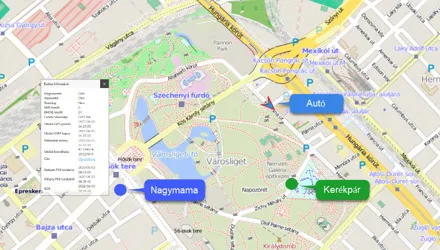
Track your devices on different types of zoomable maps, and check their status and surroundings.
-
Real-Time Tracking
Continuously monitor the movement of your fleet and receive real-time information on their current position.
-
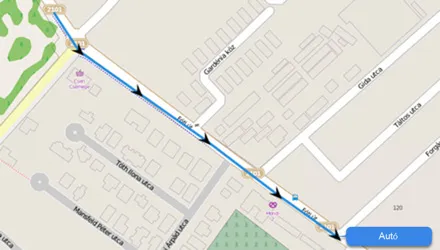
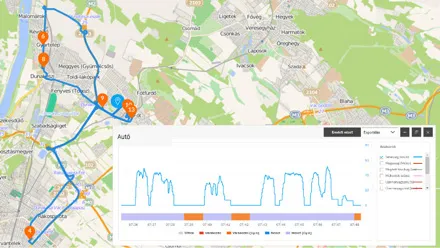
Route History
Review the routes previously traveled by vehicles: road sections, stopping points, and related data. You can also generate graphical analyses for these.
-
Device Information
Up-to-date information on device status and vehicle operating parameters (e.g., ignition, speed).
-
Alerts
Receive instant notifications via email or SMS about device or vehicle-related events – such as movement, POI zone crossing, towing, ignition, low battery, SOS signals, etc.
-
POIs
Add points and areas important to you to the map. You can set alerts for these or display the data in reports (e.g., journey logs) within the system.
Demo Videos
- User Management
System Access
- Using the Map
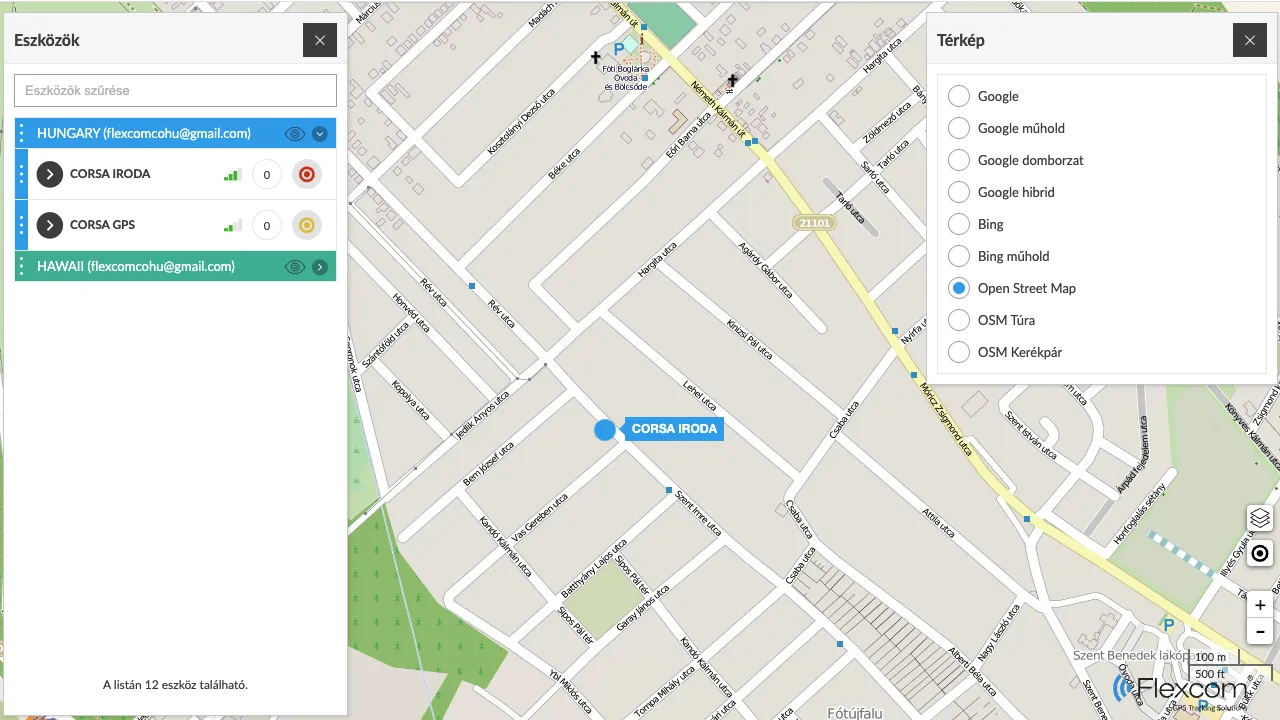
Map Types and Functions
The map is a fundamental element, the "background interface" of the system. During tracking, several types of maps can be used, such as versions specialized for road networks, pedestrian, or bicycle routes in the case of Open Street Map.
- Device Management and Tracking
Retrieving Device Information
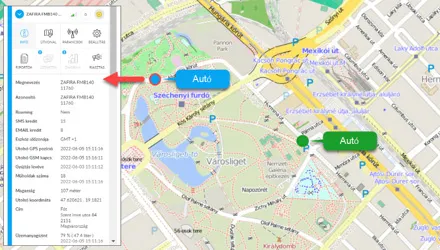
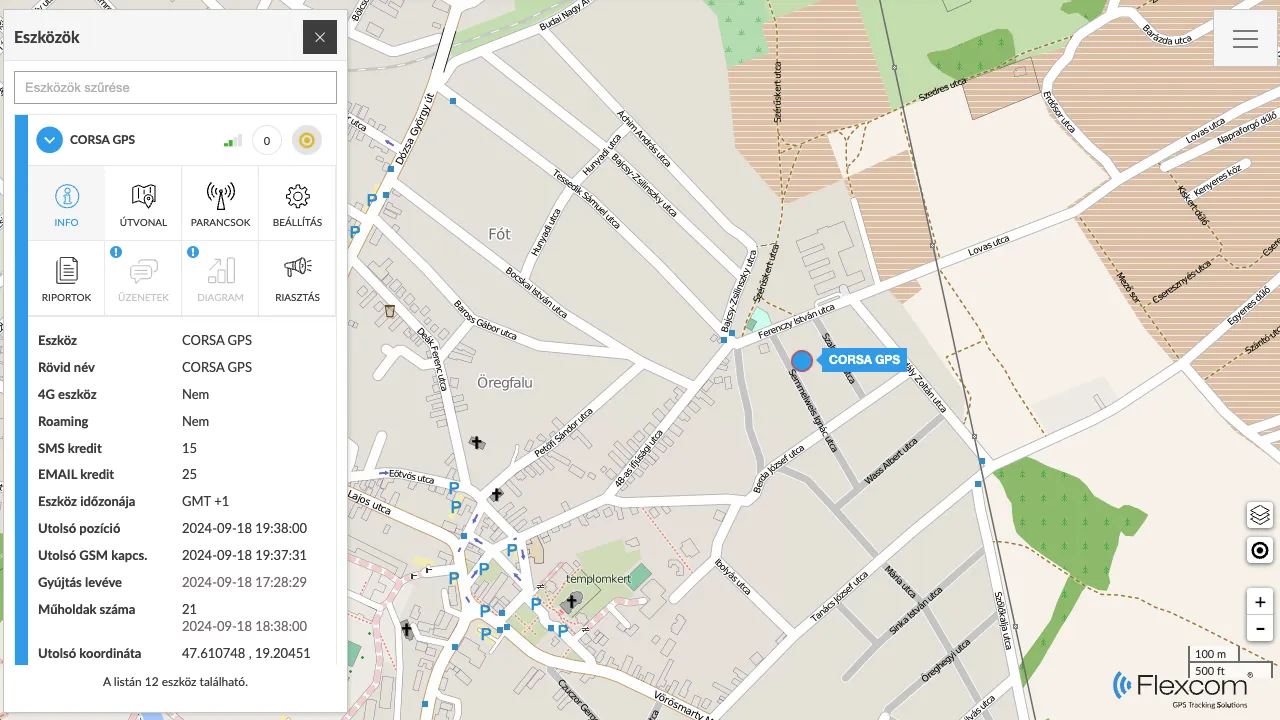
After a successful login, the system displays our devices on the map. In addition to the real-time display of their current movement, you can obtain detailed information by selecting any device:
- On the device's position (coordinates and address)
- On device and network characteristics (e.g., battery level, GSM and satellite connections)
- On the physical status (e.g., fuel, battery, operating hours) of the vehicle or equipment equipped with the tracker.
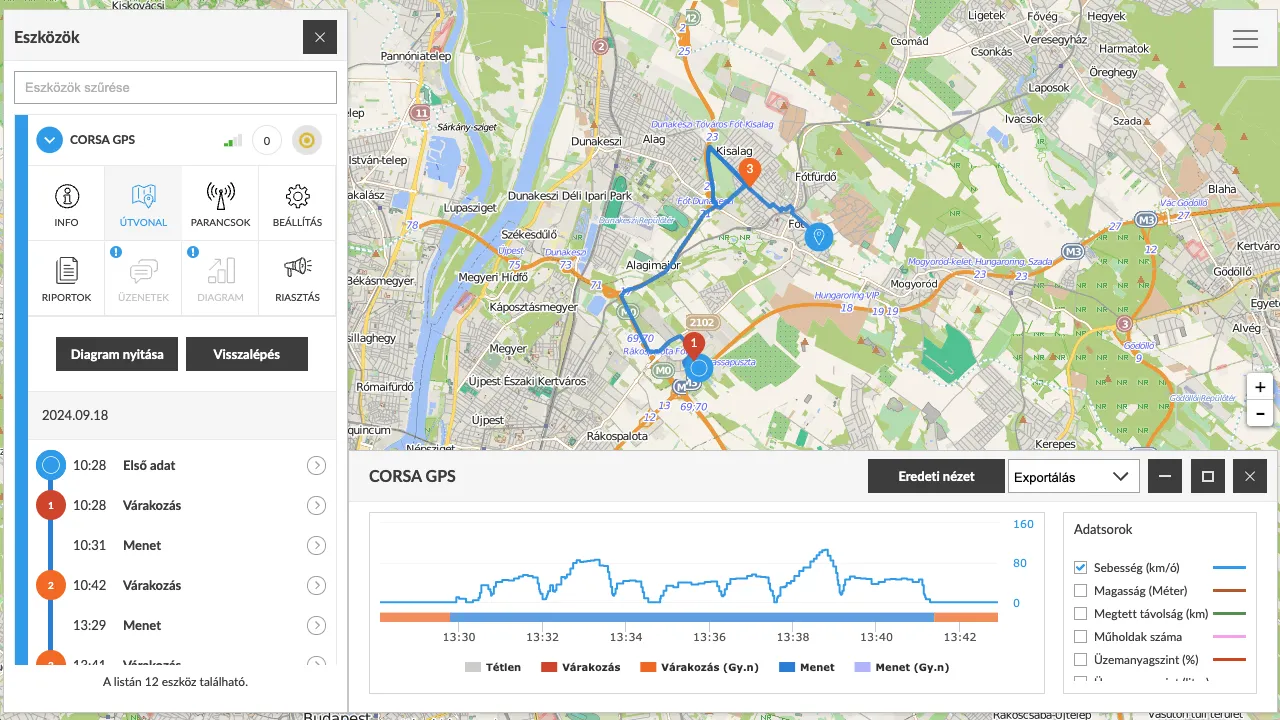
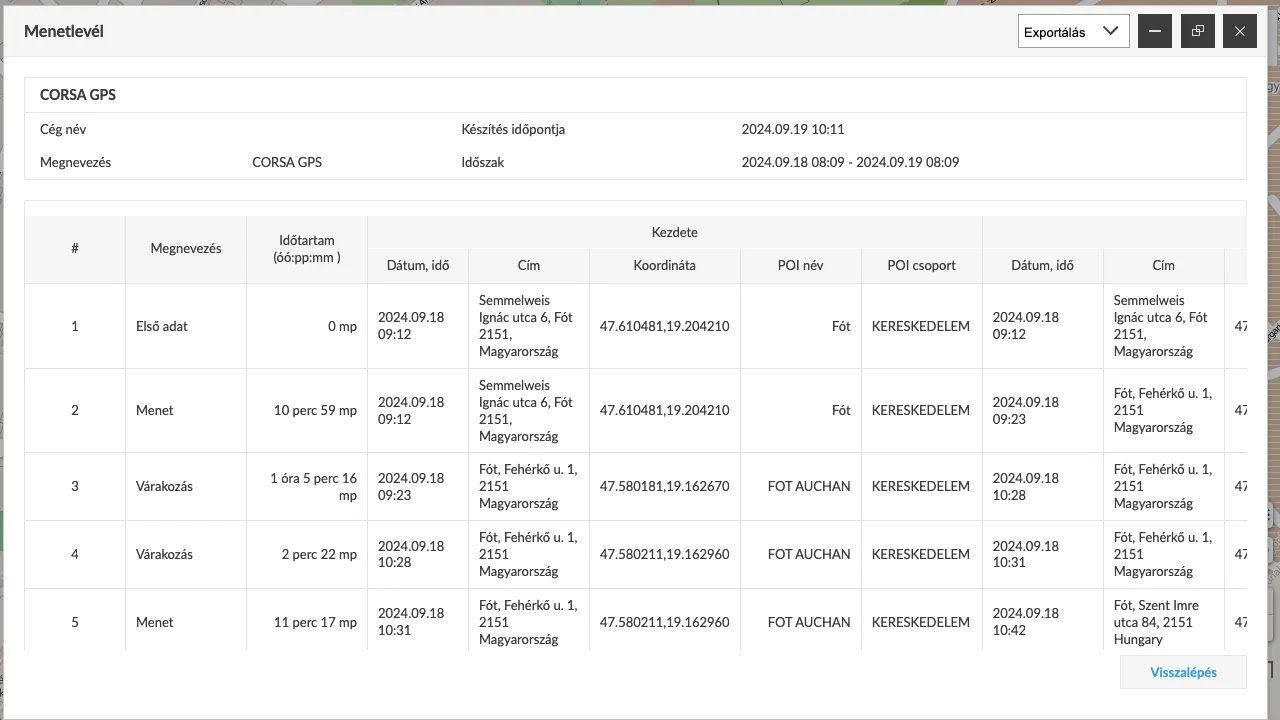
Route DisplayIn the tracking system, you can see not only current events, but previous events related to devices and vehicles can also be retrieved. Routes for a specific period can be requested. The system displays the route and related event points on the map, providing detailed information: the time taken for each section, the speed of travel, the distance covered, and where and for how long the asset waited.
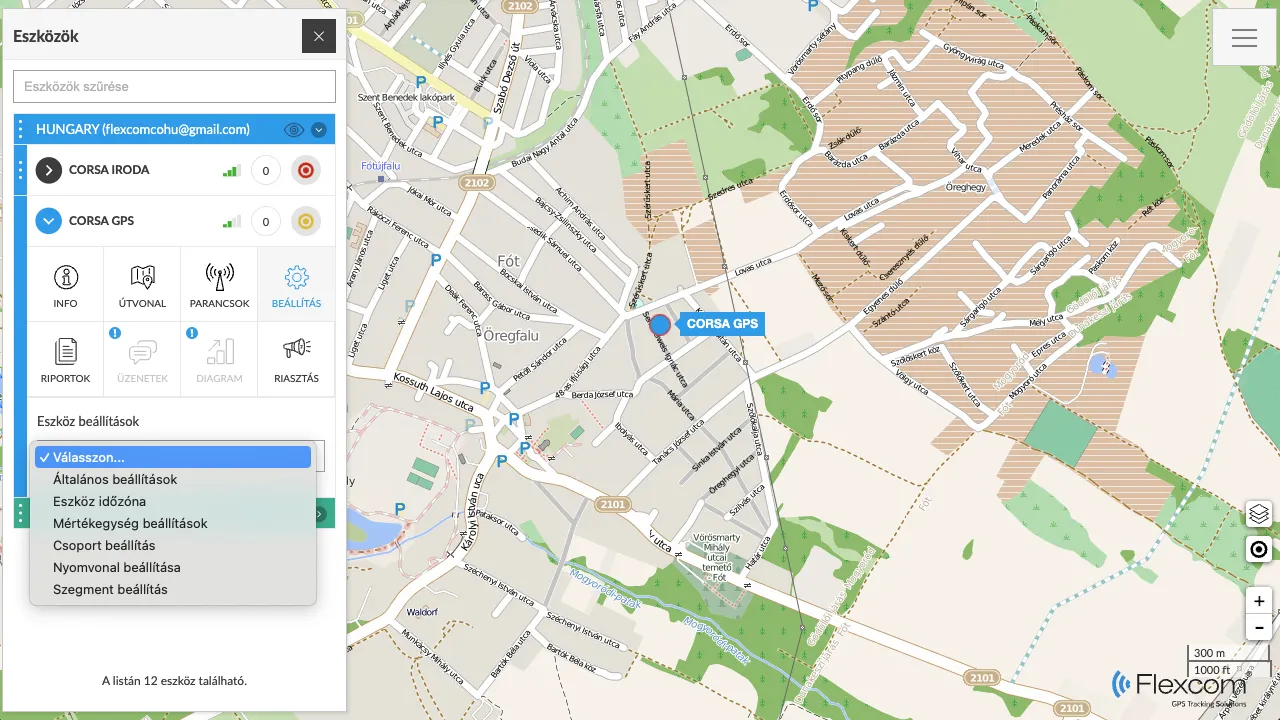
Device SettingsYou can configure how the central system handles your devices and incoming data. Devices can be grouped, labeled, or marked with colors on the map. The system can be configured with measurement units (e.g., kilometers or miles), motion detection modes, and time zone specifications.
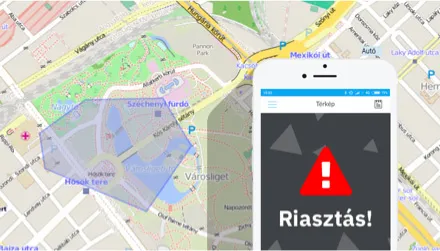
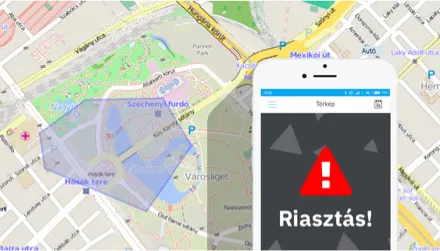
AlertsThe system can send notifications (alerts) about events related to vehicles or devices, such as displacement (movement), towing, or leaving specific zones. Alerts can be set up individually for each device. For certain devices, SOS calls and messages are a special feature, operating by calling pre-set phone numbers and sending emails and/or SMS notifications.
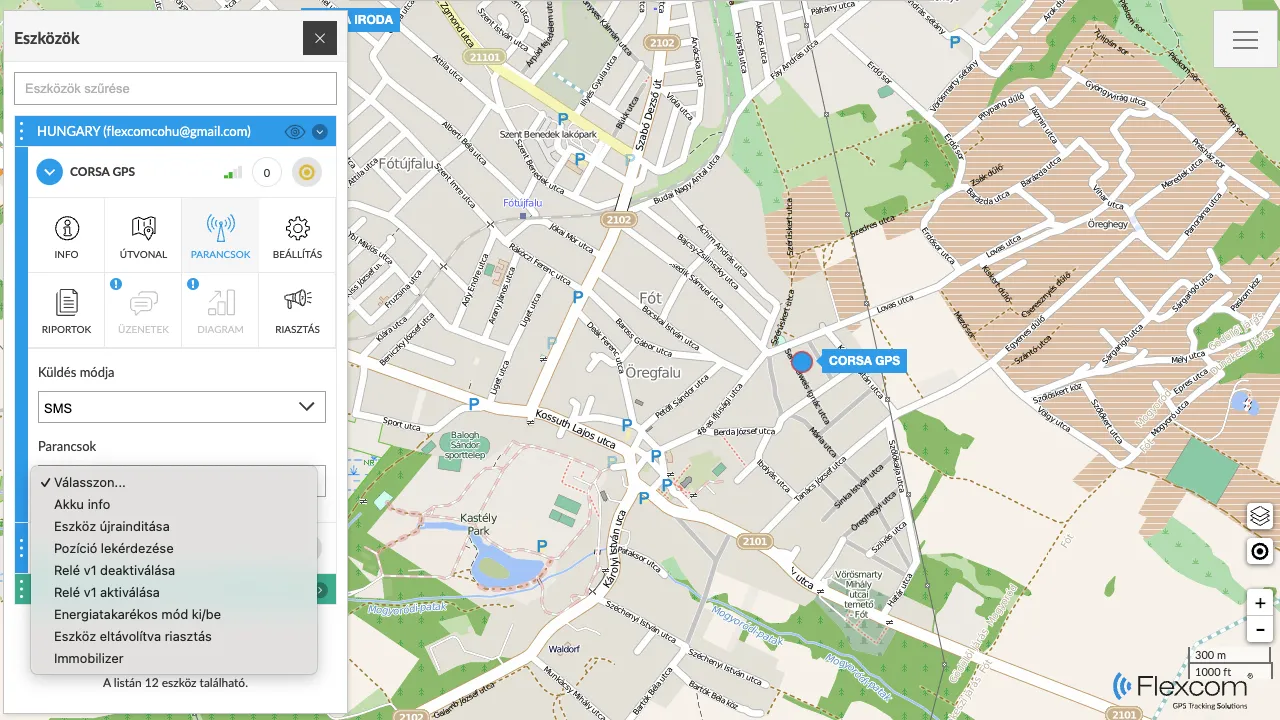
CommandsThe complete system consists of tracking devices and tracking software. As technical equipment, the devices have their own operating settings, such as position reporting frequency, contact numbers, alarm or time zone settings, sounding a signal for searching, remote shutdown, etc. These settings and actions can be performed through the software's Send Command function.
ReportsIn addition to graphical map data and directly related text data, complex reports can be generated using the Reports function. A frequently used report, for example when tracking vehicles, is the journey log (logbook).
- Managing POIs
Adding POIs
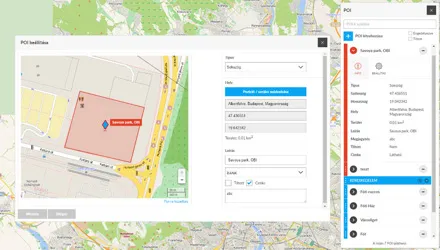
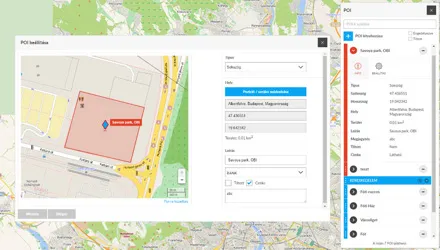
POIs (Points of Interest) are significant locations that you want to mark on the map. A POI can be a point (e.g., a gas station or shop) or an area (e.g., a plot of land). Accordingly, point-based and area-based POIs can be added to the tracking system, and the shapes of the latter can be drawn manually. Alerts can also be assigned to POIs for when a tracking device arrives at or leaves them.
- Event Management
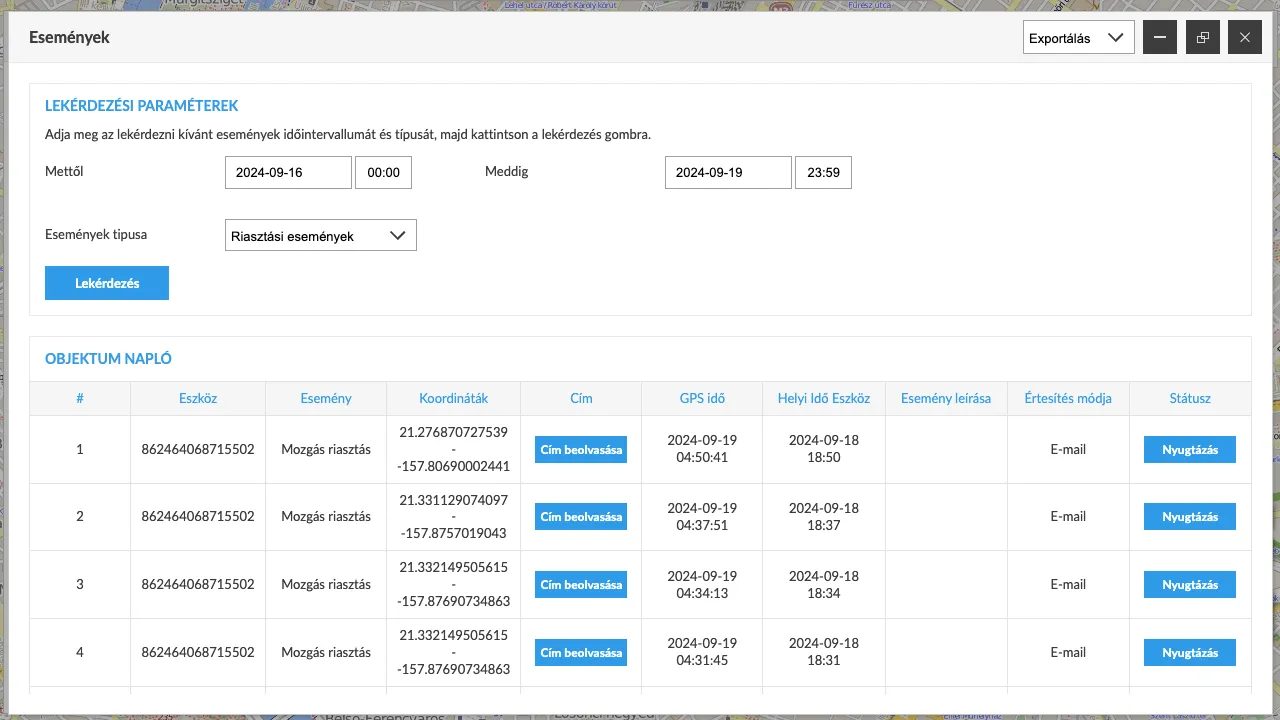
Events and Recording. Using the Event Log.
Events occur continuously within the tracking system. Devices detect movement, stops, and physical impacts. The processing system analyzes the incoming data and determines the related events, which are recorded in the event log. The log is available for customers to view and can be filtered or queried based on various criteria.
Similar products


Related products
Customer reviews
Product reviews
| 5 Stars | (0) | |
| 4 Stars | (0) | |
| 3 Stars | (0) | |
| 2 Stars | (0) | |
| 1 Stars | (0) |
Last viewed products



Frequently Asked Questions
What rules apply to the tracking of company or employee vehicles?
When tracking company or employee vehicles, we always recommend informing the affected employee and obtaining their written consent. This is important not only for GDPR compliance but also for maintaining workplace trust.
How much experience does FlexCom have in the GPS technology field?
FlexCom Kommunikációs Kft. has over 10 years of professional experience in the sale and repair of GPS devices and the development of proprietary GPS software. Our expertise guarantees that our customers receive the most reliable technological solutions.
How is warranty management and service handled?
We provide a full warranty for devices purchased from us. FlexCom Kommunikációs Kft. has its own technical support background: we perform professional repairs for minor issues in coordination with the manufacturer, and for major malfunctions, we provide device replacement through the manufacturer's replacement process.
Are the devices new and original?
Yes, we exclusively sell new, original, and certified devices sourced directly from manufacturers. We do not sell used or refurbished products, ensuring full manufacturer warranty and reliable quality.
Are the devices unlocked, and can I use them with other providers?
Yes, all GPS trackers we sell are SIM-lock free. The devices can be used with any mobile service provider, and there are no software or hardware restrictions hindering your free choice.
Can I purchase the device without a SIM card and software?
Yes, the price displayed in our webshop is the standalone purchase price of the device. The SIM card and software package are optional accessories and are not required to purchase the device.
Do the trackers store personal data?
The trackers record technical data related to movement. Flexcom is committed to GDPR compliance, ensuring that all recorded data is managed transparently, securely, and under the user's complete control.
For what purposes can Flexcom GPS devices be used?
Our devices are primarily designed for fleet tracking, theft protection for bicycles, motorcycles, and cars, and logistics optimization. Their use is intended to enhance asset protection in compliance with all legal regulations.
Why do I need proprietary software for tracking?
Our proprietary Flexcom software ensures the highest level of data privacy and reliability. Only authorized users can access the stored data, ensuring your assets or vehicles remain securely under your control.
How can I use the GPS tracker legally?
We recommend using our GPS trackers exclusively in accordance with applicable data protection laws, with the express consent of the owner of the vehicle or property, or on assets you personally own. Our devices are designed for professional security and fleet management purposes.
Documents
Price Alert